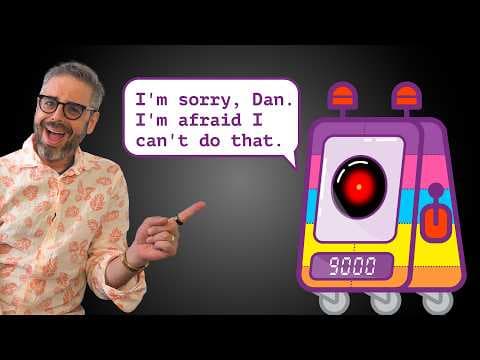
Coding Challenge 188: Voice Chatbot
Audio Summary
AI Summary
The video presents a coding challenge to create a conversational voice chatbot within a p5.js sketch. The project aims to integrate speech-to-text, text-to-speech, and a "brain" for the bot to process inputs and generate outputs. The creator emphasizes demystifying AI technology, enabling viewers to understand and use it, and exploring possibilities for individuals with open-source models on consumer hardware. The approach highlights learning by doing and critical examination through creative play.
For speech-to-text, the chosen model is Whisper, an open-source model developed by OpenAI that can run locally. For text-to-speech, the Cocooro TTS model, pointed out by Zenova from HuggingFace, is selected. The "brain" is presented as a flexible component, not necessarily requiring a large language model. Alternatives like Markov chains, context-free grammars, and pattern-matching systems such as RiveScript are suggested, encouraging creativity from the audience. The project also utilizes P52 features like async and await.
The initial interface for the chatbot is a push-to-talk system, where pressing the mouse activates the microphone and releasing it triggers transcription. The transcript covers the steps for integrating the Whisper model for speech-to-text. This involves importing the transformers.js library, setting up an async pipeline for automatic speech recognition using the "whisper-tiny.en" model, and specifying "webGPU" as the device for local processing. A crucial point is that audio processing remains entirely on the user's computer, with only the model being pulled from the cloud.
Accessing the microphone is achieved using the native Web Audio API's `navigator.mediaDevices.getUserMedia` function. To capture audio, a `MediaRecorder` is employed, collecting audio data into an array of "chunks" between mouse press (start recording) and mouse release (stop recording). The `onstop` event of the recorder triggers the audio processing. The collected audio chunks are then combined into a single blob, converted into an array buffer, and decoded into raw audio data using an `AudioContext`. The audio context's sample rate is set to 16 kHz as required by the Whisper model. Finally, the raw audio data (waveform) is extracted from the decoded audio buffer and passed to the transcriber pipeline to generate text. A critical step identified is clearing the `audioChunks` array after each transcription to prevent re-transcribing previous audio.
For the chatbot's "brain," an initial simple "therapist" chatbot is implemented, which responds to any input with "How does [your input] make you feel?". This demonstrates the basic text processing capability.
Next, the video details the integration of Cocooro TTS for text-to-speech. The Cocooro TTS library is imported, and a speaker model is loaded. The `speak` function is created to handle text-to-speech, which involves creating an `AudioBuffer` from the generated audio data, copying the data into the buffer, creating an `AudioBufferSourceNode`, connecting it to the audio context's destination, and playing the sound. The `tts.listVoices()` function is used to explore available voices, and a specific voice, "Daniel," is selected. The device for Cocooro TTS is also explicitly set to "webGPU" for faster processing. An `ended` event listener is added to the audio playback to visually indicate when the chatbot has finished speaking.
The video then explores integrating a more complex "brain" using RiveScript, a scripting language for chatbots. The RiveScript library is imported, and a RiveScript brain file is loaded during setup. The `process` function is updated to use the RiveScript bot to generate replies. A challenge encountered here is that the speech-to-text model might transcribe numbers as words (e.g., "three" instead of "3"), which the RiveScript bot might not understand. A quick fix is attempted to convert word-numbers to digits using string manipulation and regular expressions.
Finally, the video demonstrates integrating a large language model (LLM) as the chatbot's brain, specifically a "small-LM2-360M-parameters-instruct" model from HuggingFace. The LLM is loaded as a text generation pipeline, also running on "webGPU." The conversation history is maintained in an array of messages, starting with a system prompt that defines the bot's persona (e.g., "You are a frog and you only say ribbit"). The `process` function is updated to format user input, add it to the messages array, pass the array to the LLM, and extract the generated response. The LLM's response is then added back to the messages array to maintain conversational context. The `do_sample` property is added to the LLM's generation parameters to encourage more varied responses. A final system prompt is tested, instructing the bot to "only ever respond with random numbers," demonstrating a more constrained behavior. The video concludes with a successful demonstration of the random number chatbot.