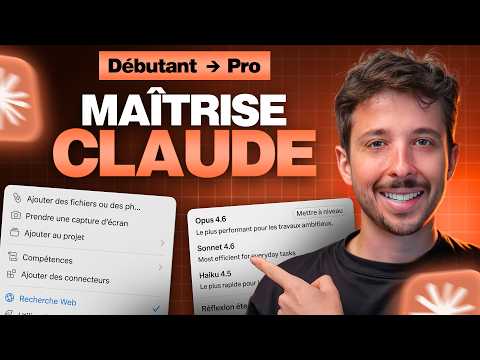
Le Guide ULTIME de Claude en 2026 (de débutant à expert)
AI Summary
This guide offers a comprehensive overview of Claude, an AI tool, aiming to transform users from beginners to experts. The speaker, a daily Claude user for tasks like research, strategy, and brainstorming, emphasizes its efficiency in reducing task completion time from hours to minutes.
The first step is creating a Claude account, which is straightforward, requiring only an email or Google account. The interface features a central chat window for prompts, and a left-hand panel for conversations and functionalities. Users can upload files, utilize projects, skills, connectors, and search options.
Claude offers three plans: Free, Pro, and Max. The Free plan provides 30-100 messages daily, access to the Sonnet 4.6 model, web search, vision and file upload, artifacts, memory, and voice mode. It lacks advanced reasoning and deep search. The Pro plan, recommended for those finding value in the free version, includes all premium models (including Opus), projects, and powerful skills. The Max plan is for users needing more credits.
Regarding models, Sonnet 4.6 is highlighted as the best compromise due to its power, speed-to-quality ratio, and cost-effectiveness. It boasts a large context window of over a million tokens, equivalent to 2000-3000 pages of text. Haiku is faster and consumes less for light tasks, while Opus is the most powerful for complex analyses and strategy, though it consumes more credits.
Effective prompting is crucial. The difference between a poor and good prompt lies in providing context and clear objectives. For instance, a basic request like "help me negotiate my salary" yields generic advice and follow-up questions from Claude. However, a detailed prompt, including user background (web developer, 4 years experience, current salary, location), achievements (e-commerce site increasing conversions by 23%, training juniors), market salary range, and manager's likely objections, combined with a specific request (prepare a three-step negotiation argument with opening, quantified arguments, and response to budget issues, in a direct tone), produces a highly relevant and actionable response.
Good prompts require two main elements: context (role, experience, salary, location, specific details, numbers, names) and clear objectives (what specific output is expected, its format, and structure). To further enhance results, users can add limitations (what Claude should *not* do) and provide examples of desired and undesired outputs. The iterative nature of conversations with Claude is also stressed; users should not hesitate to refine their requests or ask for specific elaborations if the initial response isn't satisfactory. This iterative process often leads to significantly improved results by the third or fourth interaction.
The speaker offers an "ultimate guide" or "playbook" with compiled prompts, variants, and workflows for different profiles (employees, business owners), model usage scenarios, a 30-day roadmap, and an automatic configurator for personalized instructions. This guide is available for free through a community platform.
Claude's strengths are compared to ChatGPT and Gemini. Claude excels in writing, analysis, and adhering to instructions, thanks to its large context window (1 million tokens). While it currently lacks image and video generation capabilities (unlike ChatGPT and Gemini), its artifacts feature, advanced reasoning, and strict adherence to prompts are significant advantages.
Three key functionalities transform Claude into a powerful research and analysis tool:
1. **Web Search:** Always-on web search allows Claude to gather relevant, up-to-date information for prompts, providing quick, sourced, and analyzed results, such as comparing invoicing tools based on price, compliance, and ease of use.
2. **Deep Search:** (Pro plan only) This feature conducts extensive research, often gathering hundreds of sources, synthesizing them into comprehensive, detailed, and sourced reports on complex topics. While time-consuming, it provides highly qualitative and reliable information.
3. **Vision and File Analysis:** Claude can analyze images and various file types (PDF, Excel, Word, PowerPoint). For example, it can analyze apartment photos to estimate surface areas, identify strengths, weaknesses, potential hidden problems (humidity, electrical installations), provide a global rating, and suggest questions for the owner. It can also summarize lengthy contracts, identifying critical clauses and potential risks in seconds.
**Artifacts** are presented as a "magic" feature that generates visual elements beyond plain text. Users can create interactive tools, such as a decision comparison matrix (e.g., comparing two cities based on criteria like weather, business opportunities, cost of living, with weighted scores). These "mini-applications" can be iterated upon, adding features like radar charts. More complex artifacts include a rental investment profitability calculator, allowing users to input criteria (purchase price, notary fees, loan details) and dynamically visualize results and graphs.
Claude's ability to combine file analysis with artifact creation is demonstrated by uploading an Excel sales file and asking Claude to identify the best-selling month, top product, and general trends, then visualize these insights in a dynamic HTML dashboard. This dashboard can be downloaded or shared via a link. These capabilities are highlighted as valuable for businesses, allowing the creation of bespoke AI systems, agents, and automations.
**Advanced Features:**
1. **Voice Mode:** Available in English, with French coming soon. The speaker prefers external tools like Whisper Flow for transcription.
2. **Memory:** Users can activate memory to allow Claude to retain context across conversations. It can also import memory from other AI tools like ChatGPT or Gemini. By sharing personal information (e.g., name, YouTube channel, hobbies), Claude stores and recalls this context, leading to more personalized and relevant responses in future interactions. An intelligent search engine within conversations helps retrieve past discussions.
3. **Personalized Instructions:** Users can set permanent preferences and context for Claude, which significantly improves the relevance and efficiency of its responses. A "mini-agent" is available in the playbook to help users generate optimal personalized instructions by answering a few questions about their profession, typical Claude usage, and desired tone.
4. **Projects:** These are dedicated workspaces for specific themes (e.g., apartment search, content creation, accounting). Projects maintain their own instructions, files, and memory, preventing context from "contaminating" other general discussions. This ensures that all interactions within a project are highly relevant to that specific topic.
5. **Skills:** Distinct from projects, skills define *how* Claude processes information. They are sets of automated instructions triggered by specific tasks. For example, a "meeting summary" skill automatically transforms raw meeting notes into a structured summary with decisions, actions, responsibilities, and deadlines. Skills can be created using a "skill creator," customized, saved, and shared.
6. **Connectors:** This is described as the most powerful feature, enabling Claude to integrate with various external tools like Notion, PayPal, Miro, Google Drive, and Airtable. Connecting Claude to a calendar allows it to list appointments, while connecting to Gmail enables it to retrieve email exchanges related to upcoming meetings and prepare one-line briefings for each. This integration creates a comprehensive ecosystem where Claude can access and process information from multiple sources, automating complex tasks and significantly boosting productivity.
**Common Mistakes to Avoid:**
1. **Too short/vague prompts:** Always provide context and precise objectives.
2. **Not iterating:** Engage in a dialogue with Claude; the best results often come after several refinements.
3. **Using Opus for everything:** Sonnet is often sufficient, faster, and cheaper for most scenarios.
4. **Ignoring personalized instructions:** Spend 15 minutes setting these up; it saves hours later.
5. **Multiple subjects in one conversation:** Keep chats focused on a single topic; start new conversations for new subjects.
In conclusion, Claude is presented as a transformative ecosystem, not just a chatbot. By combining personalized instructions, projects, skills, and connectors, users can automate complex workflows, receive intelligent briefings, and even have Claude perform tasks like generating content or analyzing data, integrating seamlessly with their personal and professional lives. The speaker also mentions advanced uses like Claude Code (for developers and non-coders), Claude Cowork (desktop app for local file management), and upcoming features like direct computer control and browser extensions. Claude is positioned as a revolutionary tool essential for 2026.