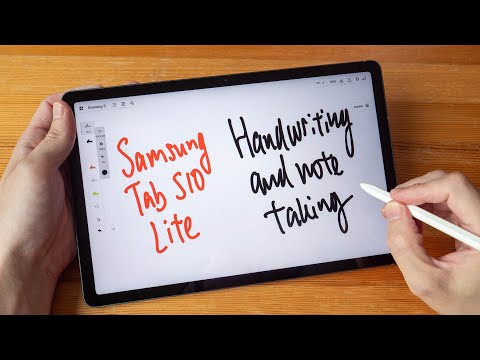
Samsung Tab S10 Lite note taking handwriting test
AI Summary
This review focuses on the Samsung Tab S10 Lite 2025 for handwriting and note-taking, comparing it to the Tab S10 FE. While the Lite is decent, the FE is recommended if the budget allows, though pen performance is similar.
The included Samsung S Pen utilizes Wacom EMR technology, supporting pressure and tilt with palm rejection. It's battery-free and doesn't require Bluetooth. A single side button may be customizable. The pen tip is soft, offering resistance and a quiet writing experience, with no noticeable wobble. Replacement tips are readily available. The pen has a matte, comfortable grip with a flat side for orientation and easy access to the side button. It attaches magnetically to the tablet's side or back.
Samsung's S Pen features include Air Command, which can be triggered by the side button or an on-screen icon. Options within Air Command include quick notes, AI select for image manipulation, and screen write for annotating screenshots. Air View displays a cursor, which can be disabled. S Pen to Text converts handwriting to editable text. Screen off memos allow quick notes on a powered-off display, saving directly to Samsung Notes. The S Pen settings include an optional writing sound, which the reviewer found distracting and disabled.
The 10.9-inch display is ample for note-taking. Despite a camera bump on the back, the tablet lays flat without wobbling when placed on a surface. The default Samsung Notes app is capable but locks users into the Samsung ecosystem. For broader compatibility, alternative apps like Notability (formerly Noteshelf) or Concepts are suggested.
The reviewer praises the handwriting experience, noting accurate capture of their style and good latency, allowing for fast writing without visible line lag. Palm rejection is effective, preventing accidental input from fingers or palms while drawing or writing. However, Samsung Notes lacks a two-finger undo gesture, requiring manual erasing or using an on-screen button, which is deemed inconvenient during writing. Notes sync across Samsung devices via Samsung Cloud.
Notability is presented as a strong alternative, supporting Google Drive or OneDrive syncing and available on any Android tablet. It offers an infinite canvas, various templates, and customizable settings, including enabling double-tap undo and assigning eraser functionality to the side button. The app supports pressure sensitivity and palm rejection, with notes syncing across devices where the app is installed.
Concepts is another recommended app, offering a versatile platform for handwriting and note-taking. Overall, the reviewer concludes that for handwriting and note-taking, a Samsung tablet with S Pen support, combined with capable apps, delivers an excellent experience, awarding an A+ for handwriting and note-taking.