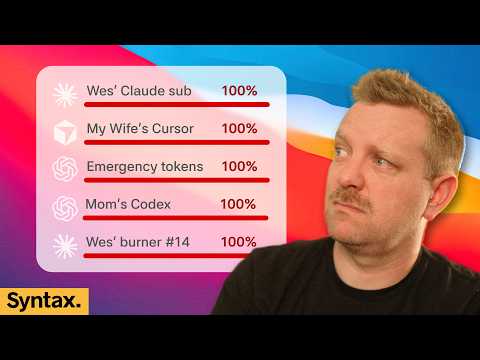
Who maxes out 5 AI subscriptions?
AI Summary
Here's a summary of the YouTube video transcript, focusing on key insights and main conclusions, adhering to the 1200-word limit.
**Key Takeaways on AI, Development, and Career in Tech**
**1. The Modern-Day Equivalent to Blogging: Standing Out in a Crowded Digital Landscape**
* **Blogging's Evolution:** A few years ago, technical blogging was a primary way for developers and designers to get noticed and showcase skills. Now, people read blogs less, and content saturation makes it harder to gain attention.
* **The Rise of "Yapping":** The new blogging involves sharing opinions, insights, and experiences on new technologies. This often takes the form of short-form video (e.g., TikTok, Instagram) or concise social media posts.
* **Value of Informed Opinion:** With an abundance of content, people seek individuals who have deeply explored a topic, formed well-reasoned opinions, and can distill complex ideas cohesively and entertainingly.
* **Beyond Surface-Level Demos:** The most impactful content goes beyond simple "six prompts and a demo." It delves into thoughtful approaches, design considerations, and innovative uses of technology.
* **Still Room for Text:** Platforms like Hacker News still value well-written text-based content.
* **Human Connection in Content:** Content that is relatable, human, and real stands out amidst AI-generated "slop." This includes sharing genuine struggles, learnings, and insights, rather than just polished, generic output.
* **Show, Don't Just Tell:** Instead of just pushing code to GitHub (which can be overwhelmed with AI-generated content), share the interesting problems you're solving, the specific challenges you faced, and how you overcame them. This could be through text and photos on Twitter, demonstrating genuine engagement.
* **Summary:** Do interesting stuff, put it out there authentically, and share your informed opinions. This will help you stay relevant and demonstrate expertise to potential employers.
**2. Managing AI Agent Workflow and Developer Productivity**
* **Context Shifting and Flow:** Long AI agent run times (even 2-3 minutes) can disrupt a developer's flow state.
* **Productive Waiting:** Instead of passively waiting or getting distracted by social media, use agent downtime to:
* **Refine UI/UX:** Review the application's UI, identify areas for improvement, and detail specific fixes or design patterns. This often takes longer than a single agent turn.
* **Document Problems:** Create detailed GitHub issues or a backlog of problems, researching design patterns and distilling thoughts. This provides a rich context for future agent tasks, moving beyond vague instructions like "make the UI better."
* **AI as a Refinement Tool:** AI coding is about refining an initial output rather than building from scratch. This requires an intentional eye for understanding what needs refinement and thorough review.
* **Sentry for Error Tracking:** Tools like Sentry (sentry.io/syntax) are crucial for tracking performance, identifying bugs, and gaining visibility into production issues, especially when working with AI-generated code.
**3. Company Policies on Employee AI Usage and Budgeting**
* **Evolving Stance:** Companies initially embraced AI with an "unlimited" mindset, but rapidly escalating costs, "slop cannons" (excessive, low-quality output), and security concerns have led to more restrictive policies.
* **Budgeting Approaches:**
* **Unlimited (Rare):** A few companies still offer unlimited AI usage.
* **Fixed Monthly Budget:** The most common approach is a monthly budget, typically ranging from $200-$500 per employee. Some companies offer several subscriptions or a combined budget for multiple tools (e.g., Codex and Claude).
* **Token-Based Billing (Enterprise):** For larger enterprises, billing is often token-based, which can be more expensive than fixed subscriptions.
* **The Skill of AI Budgeting:** Developers need to learn how to effectively budget AI resources. Unchecked usage can quickly lead to daily costs of $1,000 or more, especially when building new features and constantly scanning code.
* **Understanding Cost and Model Quality:** It's essential for developers to understand the cost implications of different models and how cheaper models might affect output quality. This is akin to learning about application performance and efficient coding.
* **Avoiding "Token Hogging":** Unlimited budgets can lead to excessive token usage, generating unnecessary features, or using expensive models for simple tasks. Restraint and a limited budget can help foster more efficient AI usage.
* **Requesting Additional Budget:** For specific, high-value projects (e.g., rewriting in Rust), employees might be able to request additional, project-specific token budgets.
* **Value of Fixed Subscriptions:** Fixed-price subscriptions (e.g., $200/month) often offer significantly more tokens for the money compared to token-based API billing. Tools like "Codex Bar" can help track token usage across various subscriptions.
**4. Coding Transactional Emails in 2026**
* **Rolling Your Own vs. Frameworks:** For transactional emails (e.g., password resets), developers often roll their own HTML email templates unless using frameworks with built-in solutions (like Pocket Base).
* **Ease with AI Agents:** AI agents make the process of creating custom email templates much easier.
* **Cost of Transactional Email Services:** Services for sending transactional emails are often perceived as expensive for low-volume applications.
* **Templating and Styling:**
* **React `renderToString`:** Using React to create reusable email components and then rendering them to HTML is a popular approach.
* **CSS Inlining:** Essential for email compatibility, as CSS needs to be inlined into the HTML.
* **SMTP vs. APIs:** While some services offer proprietary APIs, using standard SMTP protocols allows for easier switching between providers if deliverability issues arise.
* **Provider Recommendations:**
* **SendGrid / Twilio SendGrid:** A widely recommended option.
* **Postmark:** Praised for its reliability, though its billing model has shifted from credit-based to monthly subscriptions.
* **Amazon AWS SES:** Good for low-volume side projects due to pay-per-email billing. Offers flexibility to add features like open tracking if needed.
* **Cloudflare's Email Routing:** A newer product that warrants exploration for SMTP and email routing.
* **Deliverability is Key:** The primary concern with email sending is deliverability. Switching providers can impact spam rates, which directly affects user engagement and product sales.
**5. Keeping AI Agents "On the Rails"**
* **The Challenge:** Preventing AI agents from going "off the rails" (e.g., performing unintended actions, creating unwanted code, or getting stuck in loops) is a common concern.
* **Deterministic Controls:**
* **Harness Hooks:** Implement hooks in the AI harness (e.g., `claw code` hooks) to deterministically intervene. For example, block `RM` commands and provide alternative instructions.
* **Deny Lists:** Prevent agents from executing specific commands.
* **Agent Rules/Linters:** Define rules and use linters to guide agent behavior.
* **Deterministic Routing (e.g., Swamp Club):** For common tasks, set up automations that provide agents with guaranteed pathways and predefined instructions. Example: Instead of letting an agent troubleshoot a server issue by spinning up a new instance, route it to an automation that checks the existing server's status and provides specific next steps.
* **Isolation and Containerization:** Running agents in isolated containers (e.g., Docker) can limit the potential harm they can cause. However, this may not always be practical for development workflows.
* **Guiding Agent Output:**
* **`agents.md`:** Define clear guidelines and limitations within the agent's instructions (e.g., "don't write fallbacks for absolutely everything" to avoid unnecessary `if` statements).
* **Tests:** Implement comprehensive tests, including performance tests. For example, an agent browser can check the frame rate of a UI after each feature implementation to ensure performance remains acceptable.
* **Developer Responsibility:** If an agent frequently goes off the rails, it might indicate that the developer is being too hands-off with prompts and needs to provide more specific guidance.
* **Steering and Interruption:**
* **Stopping and Restarting:** Many developers prefer to stop an agent and restart the process with new instructions when they need to intervene or provide urgent context.
* **"By the Way" Features:** Some tools (like Claude) offer "by the way" features to add context mid-turn, but these are not always preferred for urgent changes or deeper course corrections.
* **Codeex Approach:** Codeex's method of sending the command on the *next* turn after an interruption is generally favored, as it allows for immediate input without completely losing ongoing work.
* **Optimization:** Developers are still seeking optimal ways to steer agents and provide mid-process corrections without disrupting workflow too much.
**6. Staying Motivated in the Age of AI Coding**
* **The "Game Genie" Effect:** AI can make coding tasks feel too easy, diminishing the challenge and the deep problem-solving satisfaction that traditionally motivated developers.
* **AI Fatigue:** AI coding can be more exhausting due to context switching, broken flow states, and other factors identified in AI mental health surveys.
* **Finding New Motivation:**
* **Higher-Level Problem Solving:** Shift focus to understanding problems at a strategic layer – architecting solutions, refining UI/UX, or tackling larger structural challenges.
* **Process Improvement:** Find joy in optimizing your development process, improving your harness, and enhancing your skills in guiding AI. The code becomes a *result* of an improved process, not solely a direct creation of your hands.
* **Company Culture and Leadership:**
* **Share Workflows:** Engineering leaders should regularly share how they use AI to improve their workflows, code quality, and development process.
* **Lunch-and-Learns/Slack Channels:** Organize internal sessions or create communication channels where engineers can share learnings, ask questions, and discuss AI applications.
* **Avoid "One-Prompt" Demos:** Simple "look what it can do" demos can be counterproductive, as they might trigger ideological resistance or fail to showcase the true benefits.
* **Screen Recordings:** Internally sharing screen recordings of AI-assisted debugging or feature implementation can effectively demonstrate benefits.
**7. The Future of AI Agent UIs**
* **Search for the "Golden Goose":** Everyone is trying to figure out the ideal UI for interacting with AI agents.
* **Convergence to "Super Apps":** Tools like Codeex merging with ChatGPT suggest a trend towards integrated "super apps" that handle various AI tasks.
* **Targeted Chat Apps:** New consumer-focused AI agents (e.g., Grockbot, Muse from Facebook) are designed as chat applications for daily tasks, often without showing "thinking trails" or tool calls to simplify the experience for general users.
* **Beyond Simple Chat:** Basic Telegram-style chat interfaces are likely insufficient, as users need more control over the UI.
* **Balance of Control and Simplicity:** The ideal UI will likely be a balance between casual chat and a few adjustable settings, avoiding overwhelming complexity while providing necessary control.
* **Custom UIs:** While custom UIs offer ultimate flexibility, they can be prone to breaking and require significant maintenance.
* **Dedicated Devices:** The potential for dedicated AI devices is also being explored.
**8. Managing Rogue AI Processes and Computer Performance**
* **The Problem:** AI agents can spin up numerous rogue, headless processes that consume CPU cycles and RAM, impacting computer performance and battery life.
* **Solutions:**
* **Killing Node Processes:** A Mac shortcut to kill all running Node processes and close programs can help, though it might disrupt other Node-based applications (e.g., Stream Deck).
* **Resource Managers:** Tools like Orca, which include built-in resource managers, can visualize CPU and RAM usage by agents, helping identify resource hogs.
* **Regular Restarts:** Restarting the computer more frequently is a simple way to manage rogue processes, especially when running beta software.
* **Better Management Tools:** There's a need for more