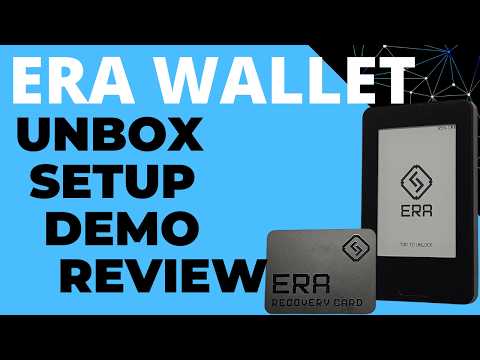
ERA Wallet - Unbox, Setup Guide, Demo & Review (Cryptocurrency Hardware Wallet Bitcoin, Ethereum)
AI Summary
The ERA wallet is a minimalist hardware wallet designed for an air-gapped cryptocurrency experience. The device features a sleek design with an e-ink display, a single physical button, a built-in camera for QR code scanning, and haptic feedback. Notably, the device has no physical ports, relying entirely on wireless charging and NFC for data transfers and power.
### Unboxing and Hardware Components
The ERA wallet comes with several key accessories: three NFC-based recovery cards (likely smart cards or Java cards), a wireless charging pad with a USB-C port, and three traditional paper recovery sheets for 24-word seeds. The device itself uses an e-ink display similar to newer Ledger models but includes a front light, making it readable in low-light environments.
### Initial Setup and Firmware Challenges
The setup process requires placing the device on its charging pad to power it on. Users must download a mobile companion app to facilitate firmware updates and authenticity checks. The initial firmware update process proved problematic during testing; on an iPhone, the update required repeated NFC taps that were inefficient. However, the process was significantly smoother on Android, where the device could simply be placed near the phone’s NFC zone.
A notable hurdle occurred during the authenticity check, as the manufacturer's authentication server was offline for several hours, temporarily stalling the setup. Once the server was restored, the device was verified via a QR code exchange between the wallet and the smartphone app.
### Security Architecture and Wallet Creation
The ERA wallet employs a multi-layered PIN system, requiring both a device PIN and a separate wallet PIN. For entropy generation, the device uses a combination of touch-screen gestures, physical shaking, and camera input to ensure randomness in private key generation.
The wallet supports two primary backup methods. The first is the traditional 24-word BIP-39 seed phrase written on paper. The second is the proprietary "ERA recovery card" system. These NFC cards store an encrypted backup of the seed phrase, protected by a dedicated PIN. These cards are rated for 50-year data retention and can be overwritten if the user decides to change their backup, though they are not compatible with standard NFC reading tools once locked.
### Software Integration and Air-Gapped Workflow
There is no dedicated ERA desktop or mobile wallet software for managing funds. Instead, the device is designed to work with established third-party applications like Blue Wallet for Bitcoin and MetaMask for Ethereum.
The workflow is entirely air-gapped. To receive funds, the user generates a receive address on the device and verifies it against the third-party app. To send funds, the user creates a Partially Signed Bitcoin Transaction (PSBT) in the third-party app, scans the resulting QR code with the ERA wallet’s camera, approves the details on the device, and then scans the signed transaction back into the app using the smartphone’s camera.
### Advanced Features and Critical Flaws
The ERA wallet includes advanced features such as BIP-39 passphrases and Shamir Backup (Slip-39). However, a significant technical flaw was discovered regarding the Slip-39 implementation. The device uses an older version of the Slip-39 standard that does not correctly handle "extendable" seeds.
Testing revealed that if a user imports a Shamir Backup from a Trezor device and applies a passphrase, the ERA wallet generates different addresses than the Trezor. This discrepancy means that passphrase-protected funds managed on a Trezor will not be visible or accessible on the ERA wallet using the same seed and passphrase. While the funds remain safe on the blockchain, this bug creates a dangerous compatibility issue that could lead users to believe their funds are lost. The reviewer noted that while a manual recovery tool could fix this, it represents a significant oversight in the firmware's testing against industry standards.
### Ethereum and Smart Contract Verification
For Ethereum users, the device includes "ERA Lens," a feature intended to decode smart contract interactions. When connected to MetaMask, the wallet attempts to provide transparent signing by verifying that the user is interacting with legitimate smart contract routers (such as Uniswap). This aims to prevent "blind signing," though the effectiveness depends on whether the specific smart contract is supported by the ERA firmware.
### Open Source and Transparency
The ERA wallet’s software model is partially open source, similar to Ledger's approach. While some repositories are available, critical components of the firmware remain proprietary. The code is not deterministically compilable, meaning users cannot independently verify that the code running on the device matches the published source code. Users must essentially trust the manufacturer’s reputation.
### Conclusion and Final Verdict
The ERA wallet is a premium-feeling "first-offering" from a new company. Its strengths lie in its high-quality hardware, intuitive user interface, and innovative NFC recovery cards. However, it currently suffers from a lack of comprehensive documentation, a buggy firmware update process, and a critically flawed Slip-39 implementation.
While it performs well for standard single-signature Bitcoin and Ethereum transactions, it currently lacks support for multi-signature setups. It is a promising device for users who prioritize a slick, air-gapped interface, but the identified bugs suggest that early adopters should proceed with caution, particularly when using advanced features like Shamir Backups and passphrases.