How to Edit Youtube Shorts That Print $$$
Audio Summary
AI Summary
This video focuses on three popular and profitable editing styles for YouTube Shorts, emphasizing that effective editing is crucial for audience retention and monetization, rather than ideas or algorithms. The three styles discussed are streamer clipping, AI commentary, and ranking videos.
The first editing style is **streamer clipping**, which the creator uses for their own channel. The process begins by selecting a streamer, like "Dr. Donut," and finding suitable moments from their streams to clip. The creator recommends looking for sections where the streamer reacts to content. To capture these moments, OBS is used for screen recording. A key strategy in streamer clipping is high-volume posting, as many clips might only get tens of thousands of views, but some can go viral, reaching hundreds of thousands or even millions of views. The more clips posted, the higher the chance of one blowing up.
After screen recording, the clip is imported into CapCut. The first step is to set the layout to vertical and the ratio to 9x16. The audio volume of the clip should be increased until it slightly peaks into the red, around 6-6.5 dB. The clip is then duplicated, with the top clip muted. The bottom clip is zoomed in to about 220-240% and dragged down to leave space at the top. A mask is applied around the streamer's facecam on the top clip, which is then made larger and positioned in the top section.
Next, a broad and mass-appealing title is added to the top of the clip, for example, "Dr. Donut reacts to Dream's mace clutch." The font is changed to "TT4s" and a thick stroke is added. Specific words in the title, like the streamer's and other notable names, are highlighted with their respective brand colors to make them pop. The clip is then reviewed for dead space, which is cut to maintain engagement. The goal is to create 10 such clips daily, leveraging the abundant resources in streamer content. A common mistake is clipping big streamers without unique content, leading to low views. The algorithm prioritizes viewer retention, so every clip without good structure trains the algorithm to ignore the channel. The correct approach involves finding a unique streamer, consistent high-volume clipping, and then earning.
The second editing style is **AI commentary**, which is described as simple but demanding excellent scriptwriting. The script is the primary driver of engagement, keeping viewers watching and ensuring monetization. The process starts with finding a clip, typically from TikTok, by browsing the explore tab. Once a suitable clip is found, its link is copied and downloaded in HD using a TikTok downloader.
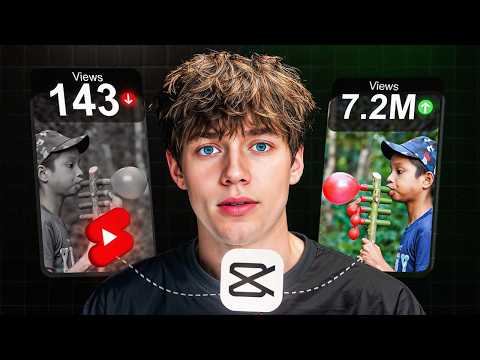
The next step is scriptwriting, starting with an absurd and contradictory hook to grab attention, such as "This is the most dangerous weapon, but it's made out of harmless balloons." The script then describes the actions in the video, adding details and building anticipation. A call to action (CTA) is added at the end, usually a question like "Would you try this?" to encourage comments. The script is then copied and pasted into 11 Labs, a text-to-speech platform, where a voice-over is generated. The creator prefers the "Max" voice and adjusts the speed to 1.14, experimenting with settings to ensure a natural sound.
In CapCut, the downloaded video and voice-over are imported. The voice-over is split into segments and overlapped to ensure a smooth flow without pauses. The video is copied to provide enough footage. For the hook, an exciting part of the video is used at the beginning. The original video's audio is muted.
To enhance visual interest, animations and transitions are added. An intro animation like "blur in" is used. For transitions between clips, movements like "shake" or "pull in" are applied, accompanied by sound effects such as a camera shutter or "whoo" sound. Zooming animations are used throughout clips to maintain focus and dynamism. Keyframes are utilized to control the scale and position of the video, creating slow zooms or rapid movements. For smoother animations, the "Alt+K" shortcut in CapCut is used to apply cubic ease presets to keyframes.
Sound effects are crucial for engagement; a popular "awkward moment" sound effect is often used at the beginning, and a "vine boom" or "ding" sound effect is added at key moments. Background music, such as a trending funk song, is added and carefully adjusted to spike at dramatic points in the video, like when a plate breaks.
Finally, subtitles are added using CapCut's auto-caption feature (CapCut Pro is recommended for this). The captions are positioned slightly below the center, and the font is changed, with a stroke or shadow added for readability. Keywords are not highlighted as the creator finds this feature unnecessary. The script's strength is emphasized as paramount for AI commentary videos, preventing them from being flagged as reused content and ensuring monetization.
The third editing style is **ranking videos**, which are easy to make and often achieve hundreds of millions of views. The process again starts on TikTok, using the explore tab to find enjoyable clips. Multiple clips related to a chosen theme, like "funny billiard moments," are downloaded. Before editing, a voice-over is created using 11 Labs, with a hook like "Ranking the funniest billiard moments. Which moment was the funniest?" to make the content transformative and monetizable.
In CapCut, all downloaded clips and the voice-over are imported. The clips are split to remove unnecessary parts. The entire project ratio is set to 9x16, and each clip is adjusted to have a small black space at the top. A text layer at the top displays "Ranking Funniest Billiard Moments," with different colors for "Funniest" and "Billiard."
Numbered text overlays (1, 2, 3, etc.) are added to the video, positioned symmetrically on the screen. Each number has a shadow and reduced opacity to make it subtle. Corresponding descriptive text, like "bro spit on him" or "he broke the vase," is added next to each number, also with a shadow and reduced opacity. These descriptions are timed to appear with their respective clips.
Sound effects are added to enhance engagement and transform the content. Vine booms, awkward moment sound effects, and whoosh sounds are strategically placed at impactful moments or transitions. Transitions like "pull in" or "shake" are applied between clips, each accompanied by a relevant sound effect like a camera shutter or swish. An intro animation like "blow" is also added.
The core takeaway from all three styles is that successful YouTube Shorts editing is about creating retention. Without compelling edits that keep viewers engaged until the end, videos will struggle to break out of low view counts and achieve monetization. The creator emphasizes that YouTube Shorts remains an accessible and fast way to generate income, especially when execution is correct, and offers further guidance through a paid "Shortsmastery inner circle" and a free 80-minute YouTube guide.