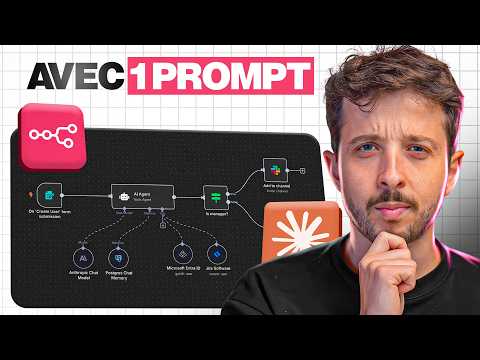
CLAUDE CODE crée tes AGENTS IA (sans coder)
AI Summary
This video introduces an AI agent that automates post-client call tasks, including summarizing discussions, evaluating performance, suggesting improvements, and preparing personalized follow-up emails. This agent, built using Claude, the current most powerful AI, runs on N8N, a tool for creating automated workflows.
N8N allows users to build workflows visually by connecting different components, enabling agents to interact with various tools and perform actions autonomously. However, creating even a simple agent in N8N can take 30 minutes to an hour, involving searching for nodes, configuring settings, and testing for bugs. This is where Claude Code comes in. Claude Code, operating as an agent, can perform actions on a computer, create and modify files, and interact directly with N8N using natural language commands. By combining N8N with Claude Code, users can describe their desired workflow in plain language, and the AI will automatically create the necessary N8N workflows and AI agents, effectively acting as a virtual developer.
To begin, users need to download the free Claude Desktop application and start a new discussion within a dedicated project folder (e.g., "agent call" for call management). The first step is to teach Claude how to use N8N effectively by installing the MCP N8N and skills. The MCP N8N is a connector between Claude and N8N, while skills are best practices or "recipes" for configuring N8N to create AI agents step-by-step. Users simply instruct Claude to fetch and install these resources from GitHub.
Next, Claude needs two addresses from the user's N8N account to work correctly. Users can choose between N8N Classic, which costs $24 per month for five simultaneous agents, or hosting N8N on their own server for about €8 per month (or €7.64 with a promotional code for a two-year server). For demonstration purposes, the Classic version is used. Users then navigate to N8N settings to retrieve the "instance level MCP" connection details and generate an API key, naming it "Claude N8N" and ensuring it is not shared. These two pieces of information are then provided to Claude Code.
With the setup complete, users can instruct Claude Code to create the desired agent using natural language. For example, the user requests an AI agent in N8N that, after every client or prospect call, retrieves the call transcript using Fireflies, prepares a personalized follow-up email in Gmail drafts, and provides a recap in Slack with coaching feedback to improve sales performance. The user also specifies using standard N8N nodes, Open Router with Claude for AI intelligence, and proper workflow documentation.
Claude then enters a planning phase, asking clarifying questions such as where the Slack recap should go (personal message), if Open Router credentials are configured (they are, and the process for setting them up is explained, involving obtaining a single API key from Open Router to access multiple AI models like Claude and Gemini), and how the agent should be triggered (automatically after each call).
While Claude plans, users need to ensure their N8N credentials are set up for Fireflies, Gmail, and Open Router. Open Router acts as a unified API key for various AI models. Users create a key in Open Router and connect it within N8N nodes, which can vary depending on the connector. Claude can guide users through specific software configurations if needed.
Once everything is configured, Claude presents a plan with automatically generated nodes. Users accept the plan and authorize it, even if it means temporarily ignoring security permissions for demonstration purposes. Claude then proceeds to create the workflow, a process that can generate complex workflows potentially worth thousands of euros to businesses.
Within approximately three minutes, the "Post Call, Follow-up Email and Sales Coaching" agent is ready, comprising ten functional nodes and six sticky notes explaining its operation. The agent connects to Fireflies to retrieve transcripts, processes the data for email and Slack coaching, and finally connects with Gmail and Slack.
To test the agent, the user provides Claude with a link to a recorded client call. The workflow is published, and all ten nodes execute successfully. In Gmail, a personalized follow-up email is found in drafts, summarizing the discussion and scheduling a demo. In Slack, a complete call analysis is received, including an overall score (e.g., 4/10), identification of weaknesses (e.g., superficial call, lack of client discovery), strengths, areas for improvement, and key moments.
The video then demonstrates how to refine the agent. The user returns to Claude, requesting improvements to the Slack formatting (by sharing a screenshot) and making the email more pertinent by using Claude Sony 4.6 instead of Sony 4, while ensuring the correct call link is used for testing. This iterative process of requesting improvements, testing, and adjusting is highlighted as a way to achieve perfect, monetizable workflows.
After the refinement, a new draft email is generated with a better tone and formatting, incorporating elements like the meeting's core message, next steps, and a proposal. The Slack message also shows significant improvements, with a well-formatted summary including advice, meeting details, participants, a visual score, strengths, areas for improvement, and key moments. This demonstrates the power of refining the agent with a single follow-up prompt.
The video concludes by emphasizing that while Claude Code is a powerful accelerator, it's not a magic wand. Users still need to understand what Claude builds, how to correct issues, and select appropriate tools, especially when creating and selling AI agents to businesses. Claude Code significantly reduces development time, building in minutes what would previously take hours, with the user retaining control. For those interested in exploring Claude further, another video is recommended for learning its full capabilities.