I’m Using GPUI For Everything
Audio Summary
AI Summary
Here's a summary of the provided transcript about GPUi:
**Introduction to GPUi and its context:**
* The speaker, Scott Tolinsky, is building desktop applications with Rust and GPUi, moving away from Electron and Tauri.
* GPUi is a UI framework that is GPU-accelerated and cross-platform, running on Mac, Linux, Windows, and even experimentally on web and mobile.
* It serves as an alternative to using web views in Electron for building UIs.
* The discussion contrasts GPUi with Electron and Tauri, highlighting their respective approaches to desktop app development.
**Critique of Electron and Tauri:**
* **Electron:** Uses a Chrome instance as a web view, leading to large app sizes because each app ships with a Chromium instance. While VS Code demonstrates that Electron can be fast, the inherent size is a drawback.
* **Tauri:** Uses Rust for the backend and native web views (e.g., Safari's WebKit on macOS). The benefit is not shipping a browser with each app, making apps smaller.
* **Issues with Native Web Views (Tauri on macOS):** The speaker found that Safari's WebKit (WKWebView) on macOS lacks features for desktop applications and is unpredictable due to varying user browser versions. This makes it difficult to rely on specific web features.
* **Electron's Advantage (Feature Control):** Electron allows developers to ship a specific version of Chrome, ensuring consistent feature availability across all users. Developers can also enable experimental features or modify Chromium for specific needs (e.g., HTML on Canvas for video editors like Remotion).
**Introducing GPUi: A New Approach to UI Development:**
* **GPU-Accelerated and Native:** GPUi renders directly to the GPU from Rust, making it very fast. It does not use a web view or the DOM.
* **"React-like" Experience:** Despite being a low-level UI framework, GPUi offers a declarative, component-based development experience similar to React.
* Components are defined with `struct`s, accepting `props` (typed like TypeScript in React).
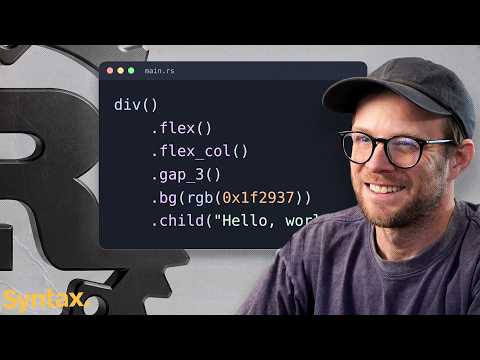
* A `render` function defines the UI, using primitives like `div` functions with chained methods for styling and layout.
* Styling is reminiscent of Tailwind CSS, with inline-style methods like `flex`, `flex_column`, `text_xl`, and `text_color`.
* It supports concepts like children, props, and state.
* **State Management:** When state updates, developers explicitly call a `notify` method (similar to how one might explicitly trigger an update in Remix) to request a re-render of a specific component.
* **Low-Level Implementation:** GPUi starts from a blank canvas; developers must implement everything from text wrapping and borders to shadows and animations, as it's not converting to native OS components.
* **CSS Feature Parity (So Far):** The speaker has found GPUi to be full-featured enough for his needs regarding common CSS properties like flexbox, padding, borders, text color, and focus. Animations are also supported (e.g., spring animations, rotating SVGs).
* **Layout Limitations:** While flexbox is well-supported, the speaker did not find explicit support for CSS Grid, indicating a potential limitation compared to full CSS.
* **Backend Integration:** Since GPUi is purely a UI layer written in Rust, any backend logic (e.g., video processing) can be directly called within the Rust application, eliminating the need for an RPC layer typically found in Electron apps.
* **Render Types:** GPUi offers two render types:
* `render`: For components with state that require updates.
* `render_once`: For static elements that don't need re-rendering, similar to memoized components or pre-computed HTML in other frameworks.
**GPUi Kit: A Component Library for GPUi:**
* **Essential for Development:** GPUi Kit is a component library that provides a wide range of pre-built UI components (accordions, alerts, dialogues, carousels, inputs, data tables with virtualization, etc.).
* **"Shad CN of GPUi":** The speaker describes it as analogous to Shad CN for React, offering well-designed, extendable primitives that are not overly opinionated but look decent.
* **Major Unlock:** For the speaker, GPUi Kit is a "major unlock" for GPUi development, making it practical to build applications without having to create every UI component from scratch.
**GPUi CE (Community Edition) and Fragmentation:**
* **Community Concerns:** There's a fork of GPUi called GPUi CE due to community members feeling that the Zed team (creators of GPUi) prioritizes features that only serve their own needs.
* **CE Features:** GPUi CE offers additional features like declarative style transitions, corner smoothing, blur effects, and gradient support for shadows and borders.
* **GPUi Kit Maintainer's Stance:** The maintainer of GPUi Kit explicitly states they will not support GPUi CE. Their reasoning is that "these projects create problems without fixing them" and that only projects validated by real-world applications (like GPUi with Zed, and GPUi Kit with Longbridge) generate continuous demand and drive improvement. They believe GPUi is continuously improving despite being tied to Zed's needs.
* **Speaker's Experience:** The speaker has primarily stuck with the official GPUi and GPUi Kit.
**Demonstration of GPUi Applications:**
* **Gendo:** An app that lists all projects on the speaker's Mac, shows their versions, and allows management (transfer, start, open). It's a personal utility for tracking dev processes across multiple computers.
* **File Bro:** An app for file automations (similar to Hazel), including screenshot organization, deep file analysis, and duplication checking/merging. It was originally an Electron app but is now being moved to GPUi for leanness and speed.
* **Window Utility Library (Mr. Space):** A personal window manager that provides shortcuts for pinning windows, sending them to different macOS spaces, and automatically fitting windows to the desktop.
* **Partial GPUi Usage:** The speaker notes that GPUi can be used for full applications or just specific parts, like a settings menu, allowing for flexible integration.
**Advantages of GPUi (Summary):**
* **Performance:** GPU-accelerated, leading to very fast and responsive applications.
* **Lightweight:** Apps are significantly smaller than Electron apps (e.g., 8MB vs. 200+MB), as they don't ship an entire browser. This is ideal for small utility apps.
* **Resource Efficiency:** Uses less RAM and system resources compared to Electron.
* **Direct Rust Integration:** Eliminates the need for an RPC layer for backend communication, as UI and logic are all in Rust.
* **Full Control over UI:** Developers have complete control over the look and feel, as they are building from primitives.
* **Accessibility Tree:** Despite not using the DOM, GPUi includes a full accessibility tree, which can be leveraged for advanced testing.
**Downsides and Limitations of GPUi:**
* **Non-Native UI Elements:** Apps built with GPUi will not automatically look "native" (e.g., Mac's Aqua/liquid glass or Windows' Fluent Design). Developers must reimplement platform-specific styles if they desire them. This can be a downside for those prioritizing native aesthetics but an upside for those wanting full custom control.
* **No Browser DOM:** While there are efforts to run GPUi apps on the web (via WOM), it doesn't use the standard browser DOM, which means traditional web development tools and browser-based testing methods may not apply.
* **Young Ecosystem:** The framework and its component libraries (like GPUi Kit) are still relatively young, meaning fewer resources and a smaller community compared to established platforms.
* **Not "Write Once, Deploy Everywhere" (in the traditional sense):** Primarily suited for native desktop apps. While experimental mobile support exists, it's not a direct conversion layer like React Native, and web deployment is via WOM, not the standard DOM.
* **Testing Challenges:** AI-driven testing would require a "computer use" approach (interacting with the UI via accessibility tree) rather than typical browser-based testing. The speaker has developed a Jev-driven testing project for GPUi.
* **Mobile Limitations:** While GPUi Mobile exists and works experimentally, it renders with Metal/WGPU on iOS, not using native iOS UI components. This means developers would need to build "bridges" for native features like maps, NFC, or file pickers, similar to React Native.
**Conclusion:**
* GPUi is highly recommended for building fast, lightweight, and custom-styled personal desktop utility applications in Rust, especially when avoiding the overhead of Electron.
* The speaker would not use it for native mobile or standard web applications due to its design philosophy and current limitations.
* AI agents are reportedly good at writing Rust code for GPUi, making development potentially efficient.