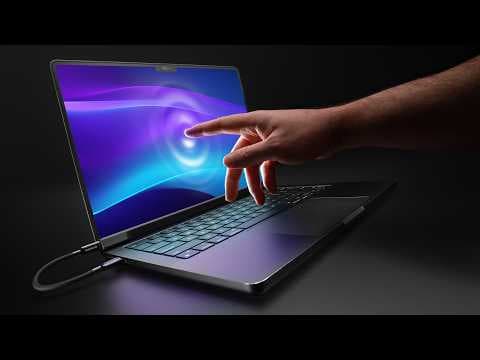
This is a Touchscreen MacBook
Audio Summary
AI Summary
This video showcases a "Magic Screen" accessory that transforms a regular MacBook into a functional touchscreen device. Unlike software hacks, this is a legitimate hardware addition, offering full touch and pen support. The presenter notes that while most high-end Windows laptops, like Surface, Dell XPS, or Lenovo Yoga, routinely include touchscreens, Apple has historically resisted this feature. Steve Jobs famously deemed vertical screens ergonomically terrible for touch in 2010, a stance Apple has maintained for 15 years, directing users to iPads for touch interaction.
Despite the prevalence of touchscreens on Windows devices for two decades, the user experience is often suboptimal. Many users don't utilize the touch functionality due to fatigue, screen smudges, and the fact that most clamshell laptops aren't designed for primary touch interaction. Windows' touch experience, while improved with tweaks, still doesn't feel purpose-built.
The Magic Screen itself is a sheet of plastic with a digitizer that magnetically attaches to the MacBook and connects via cable, instantly enabling touch. The hardware is impressive, well-built, and supports a pressure-sensitive pen, even coming with a stand to prevent wobbling.
However, using this accessory reveals a significant flaw: macOS is not designed for touch. Touch targets are tiny, and interacting with menus or dragging windows feels clunky and imprecise. The software is clearly not built for finger input.
Despite this, strong speculation suggests Apple is working on a touchscreen MacBook, possibly releasing this year. Several factors explain this potential shift. Firstly, new display technology allows touch-sensitive components to be built directly into the display stack without compromising image quality, unlike older methods that added weight, thickness, and reduced brightness.
Secondly, the latest macOS versions feature a "liquid glass" design with larger, rounder, and more prominent elements. Future macOS versions are expected to have dynamic UI elements that adapt to touch, scaling icons and hit targets when a finger approaches the screen, making the experience more fluid.
Thirdly, Apple's move to Apple Silicon allows iPhone and iPad apps to run on MacBooks. A touchscreen would greatly enhance the usability of these finger-designed apps and facilitate development and testing.
Finally, a touchscreen MacBook with an OLED screen could create a new, higher-tier product, offering enthusiasts and professionals a reason to invest in a premium device and establishing a new price ceiling for the MacBook lineup. While the Magic Screen is a cool glimpse into this forbidden world, the current software limitations highlight the need for a fully redesigned macOS to truly embrace touch.