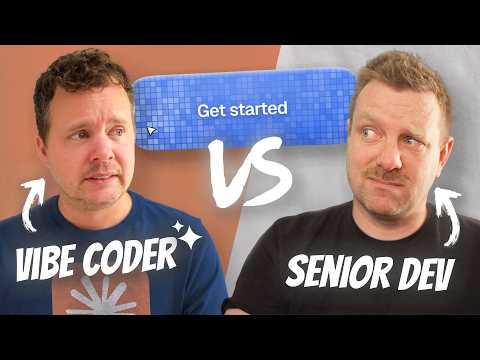
Developer Showdown: Vibe Coder vs Senior Developer
Audio Summary
AI Summary
This challenge pits a senior developer, Wes Boss, against a "vibe coder," Randy Recctor, to recreate a complex animated button from a Twitter post within 20 minutes. Randy, primarily a video editor with Python scripting experience, relies heavily on AI (Claude Desktop) and speech-to-text, while Wes, an experienced web developer, uses a combination of AI prompting and manual coding.
**The Button's Features to Recreate:**
* **Background:** Blue mosaic pattern with a 3D effect.
* **Hover Effect:** When the cursor moves, the area around it lightens, including the grid lines.
* **Click Effect:** A circular "ripple" or "explosion" effect emanates from the click point.
* **3D Tilt:** The button subtly tilts in 3D space as the mouse hovers, based on cursor position.
* **Inner Shadow/Embossed Effect:** A slight inner shadow on the border.
* **Overall Aesthetics:** Close resemblance to the original video.
* **Code Quality:** Scalability, responsiveness, and clean code (less emphasized for Randy due to AI use).
**Randy's Approach (Vibe Coder using AI):**
* **Tool:** Claude Desktop with speech-to-text.
* **Initial Strategy:** Describe the desired features in plain language to the AI, aiming for rapid initial progress. He provides a starter HTML template and CSS file.
* **Background Generation:** Prompts the AI to create a mosaic of tiles using HTML canvas, with random blue colors and specified tile size/gap.
* **Live Preview:** Uses Fable to set up hot reload for quick iteration.
* **Hover/Click Effects:** Describes the "slight white glow outward" on hover and a "water-like ripple" on click, emanating from the middle.
* **Refinement:** Iteratively prompts the AI to adjust ripple width, strength, opacity, and speed. He also requests the hover effect to illuminate dark grid lines.
* **Mouse Tracking:** Asks the AI to track mouse X/Y coordinates and inject them as CSS variables for dynamic effects.
* **3D Tilt:** Describes the "yaw and skew" effect on hover, referencing the video for visual guidance.
* **Overlay/Dissolve:** Requests a slightly darker blue overlay that dissolves as the cursor hits the button's edge to reveal the grid.
* **Deployment:** Uses Claude's built-in artifact page to publish the button.
* **Challenges:** Encountered issues with AI generating too many decimal points causing jitter, the AI sometimes misinterpreting instructions (e.g., "squirle" vs. "border-radius"), and the AI borking the deployment process by removing code. Randy also struggled with explaining subtle visual nuances, leading to "iteration hell." The final AI-generated code for the background used hundreds of `<i>` tags with inline styles, leading to poor performance (5 FPS).
* **Cost:** The AI usage for this button cost $745.
**Wes's Approach (Senior Developer using AI and Manual Coding):**
* **Tool:** AI (unspecified, likely a CLI or similar, also using speech-to-text).
* **Initial Strategy:** More methodical. Uses a color picker to identify the exact color palette from the original button.
* **Background:** Initially generated a basic button, then focused on the gradient style.
* **CSS Variables:** Prompted AI to inject blue variables into the body as CSS variables for reusability.
* **Mouse Tracking:** Manually implemented mouse tracking to inject X and Y values as CSS variables.
* **3D Tilt:** Manually coded the `transform-style: preserve-3d` and `transform: rotateX/Y` properties, adjusting values by observing video frames. He also initially tried to implement the tilt manually before resorting to prompting.
* **Elements:** Structured the button with multiple span elements for text, glow, and explosion effects.
* **Inner Shadow/Emboss:** Prompted for a "slight inner shadow around the outside of the border, giving it almost a slightly embossed effect."
* **Overlay:** Described a "slightly darker blue or solid blue layer on top that dissolves slightly as the cursor hits the edge."
* **Deployment:** Planned to deploy to Cloudflare.
* **Challenges:** The AI struggled with subtle interactions like the "yaw and skew" effect, producing jerky animations. Wes also found it difficult to precisely describe nuanced visual effects. He spent time manually tweaking CSS values and then used AI to refine them. He also faced rendering issues with base64 image injection. His deployment attempt with Cloudflare was interrupted by time.
* **Observations:** Wes focused on details like the exact tilt angle, the transition speed, and the specific appearance of the "glow."
**Mid-Challenge Check-in (10 minutes in):**
* Both felt confident and were farther along than expected. Randy believed he could finish in one more prompt, which proved overly optimistic.
**Post-Challenge Deployment (5 minutes given):**
* Randy successfully published his button using Claude's artifact page.
* Wes attempted to deploy to Cloudflare but ran out of time, still tweaking values.
**Judging and Results:**
**Wes's Button:**
* **Aesthetics:** 3.5 out of 5.
* Hover effect doesn't disappear when the mouse leaves.
* Lacks a top bevel; looks flat instead of protruding.
* The tilt is too exaggerated and lacks subtle easing.
* Hover effect is a white box, not a change in background color or transparency of an overlay.
* Missing subtle animations for return to normal state.
* **Code:** Not fully evaluated due to deployment issues, but his approach was more structured.
**Randy's Button:**
* **Aesthetics:** 4 out of 5.
* Closer to the resting state of the original button.
* Successfully implemented the bottom shadow.
* Dark blue overlay that becomes transparent on hover is a good approach.
* Good animation when the mouse leaves the button.
* However, the top of the button is too white.
* The mouse-triggered white area is too bright.
* The tilt might be slightly too much.
* The click "explosion" is a solid circle, not a glowing ring.
* **Not a "squirle" border radius** (AI used simple border-radius).
* **Code:** The background was rendered with **660 `<i>` tags with inline styles**, leading to a very poor frame rate (5 FPS) and an unscalable, problematic codebase.
* **Cost:** $745 for the button.
**Conclusion:**
Randy, the vibe coder using AI, won the aesthetic challenge with a score of 4/5 compared to Wes's 3.5/5. However, Randy's AI-generated code was highly inefficient and unscalable, using hundreds of `<i>` tags for the background, costing a significant amount for a single button, and performing poorly. Wes's button, while not as aesthetically complete, likely had a much cleaner and more maintainable codebase. The challenge highlighted the AI's ability to quickly generate visually similar results based on descriptions but also its limitations in producing efficient, scalable code and accurately interpreting nuanced design instructions. It also showed that even senior developers rely on AI for certain tasks, but their understanding of underlying principles allows for better prompting and refinement.